Kovia for dental clinics
Receive and answer your patients on WhatsApp, keep the appointment flow organized, and get clear visibility into what was booked, attended, and missed.
- WhatsApp front desk
- Appointment flow
- Booked, attended, and no-show appointments
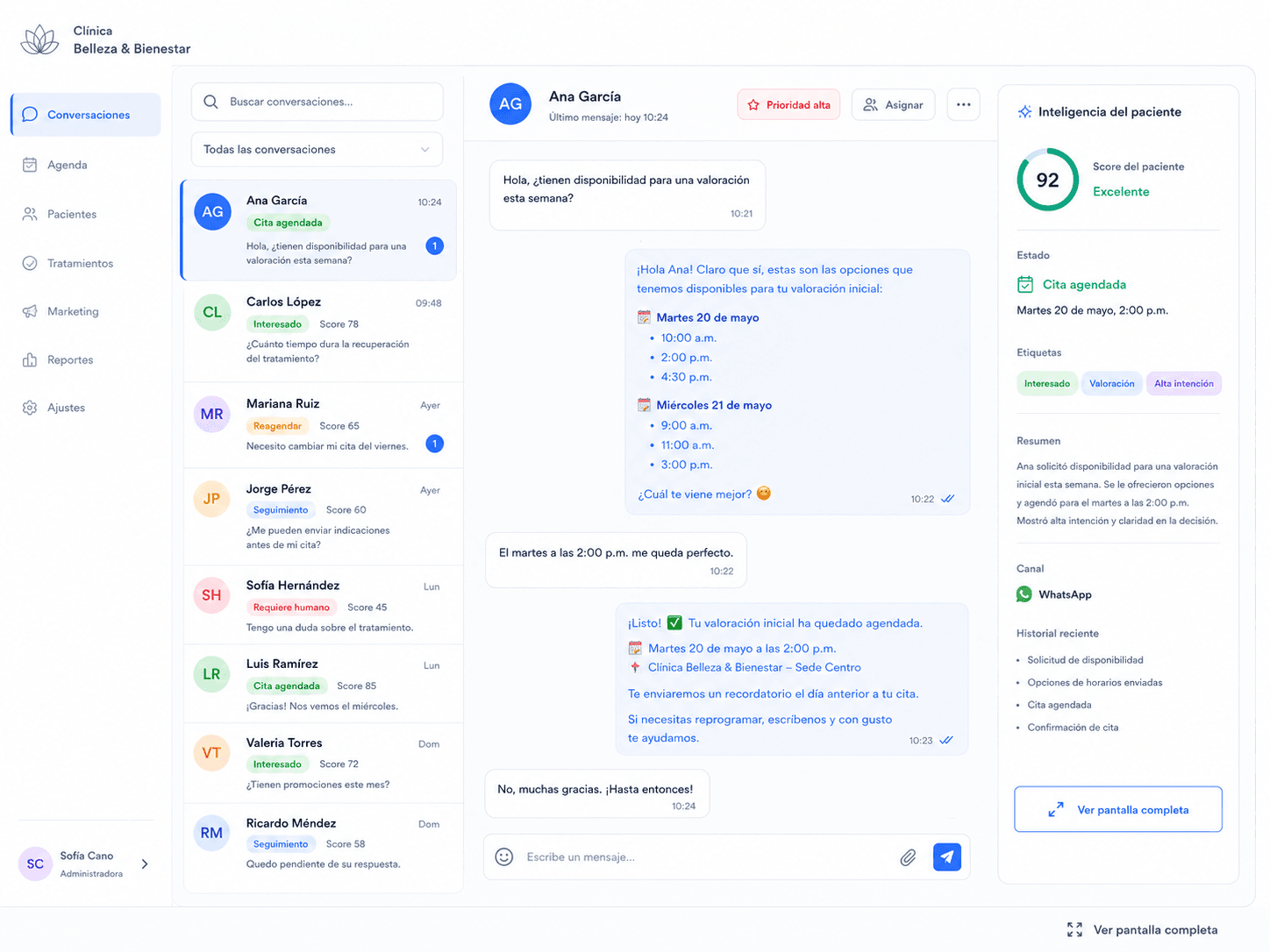
How it works
From WhatsApp message to a recorded appointment
The journey of a patient who messages your dental clinic, start to finish.
- 1
The patient writes on WhatsApp
Asks about hours, dental services, or availability.
- 2
Kovia handles the conversation and the appointment
Answers frequent questions and helps book or reschedule, without giving diagnoses.
- 3
Your team takes over when needed
If the patient needs clinical guidance or there's an emergency, Kovia transfers to a person on your team.
- 4
The clinic records the outcome
It's logged whether the appointment was attended, missed, or rescheduled.
What's slowing down your dental clinic's front desk today
Manual, repetitive tasks that eat up your team's day.
Front-desk workload
Patient messages outside business hours
Follow-up that falls through the cracks
Manual appointment tracking
Unclear visibility into who attended and who didn't
The product, in the screens your clinic uses
This is how your team sees the daily operation of the dental clinic in Kovia.
Dental clinic home
A daily overview: pending confirmations, appointments recorded in Kovia, and recent AI activity.
Pending confirmations
A list of appointments that still need to be confirmed before their scheduled date.
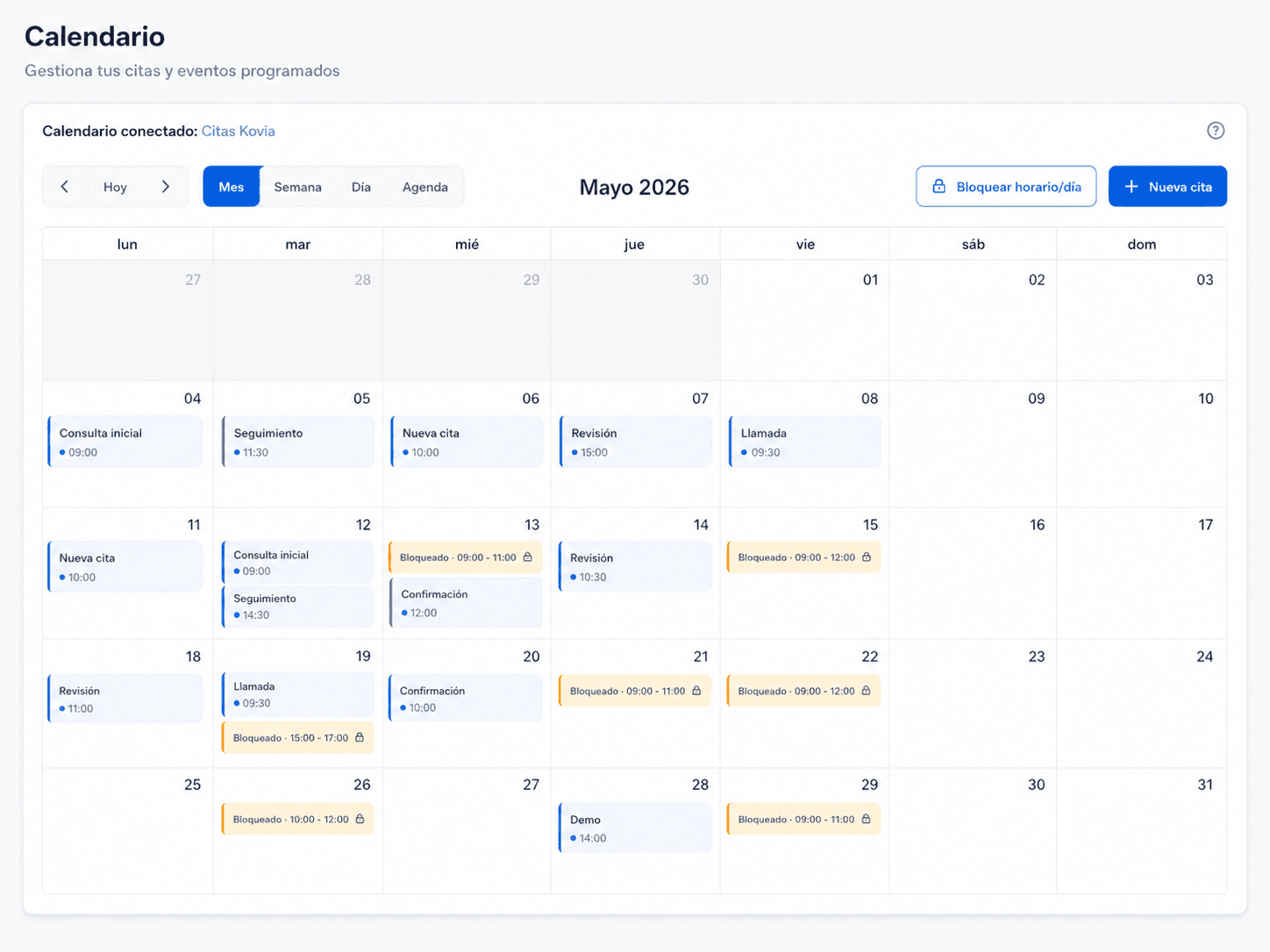
Calendar and appointments
Book, block time slots, and avoid overlaps across doctors or practices.
Appointment performance
Visibility into booked, attended, and no-show appointments within Kovia, by date range.
Appointments shown in Kovia are the ones booked or recorded within the platform; they do not replace your clinic's complete external calendar.
Administrative AI, not medical advice
Kovia supports your dental clinic's administrative attention over WhatsApp: hours, services, availability, and appointments. Kovia does not give diagnoses or clinical guidance. If a patient asks for clinical guidance or reports an emergency, the conversation is transferred to a person on your team.
Frequently asked questions
Common questions from dental clinics about how Kovia works.
Can I use my clinic's current WhatsApp number?
It depends on your current WhatsApp Business and Meta setup. In the demo we review your case and tell you the best way to connect it.
Does my team keep control of the conversation?
Yes. Your team can take over any conversation whenever needed, and Kovia automatically transfers cases that require human judgment.
How is the clinic's calendar set up?
We configure availability by doctor, practice, or service based on how your dental clinic operates, during onboarding.
How does handoff to a person work?
When Kovia detects a case needs someone on your team, it pauses the AI and hands over the full conversation context to the right person.
Can it send reminders to patients?
Patient reminders are a configurable feature depending on how your clinic is connected. We don't guarantee delivery or automated outcomes; we'll review whether it applies to your case in the demo.
Do I need help getting set up?
Yes. We guide you through onboarding to configure your clinic, your calendar, and your WhatsApp connection.
Ready to organize your dental clinic's front desk?
Get started with Kovia or book a demo and we'll show you how it adapts to your clinic.